Chuncheon Toy Robot Museum ‘NEO CHUNCHEON’
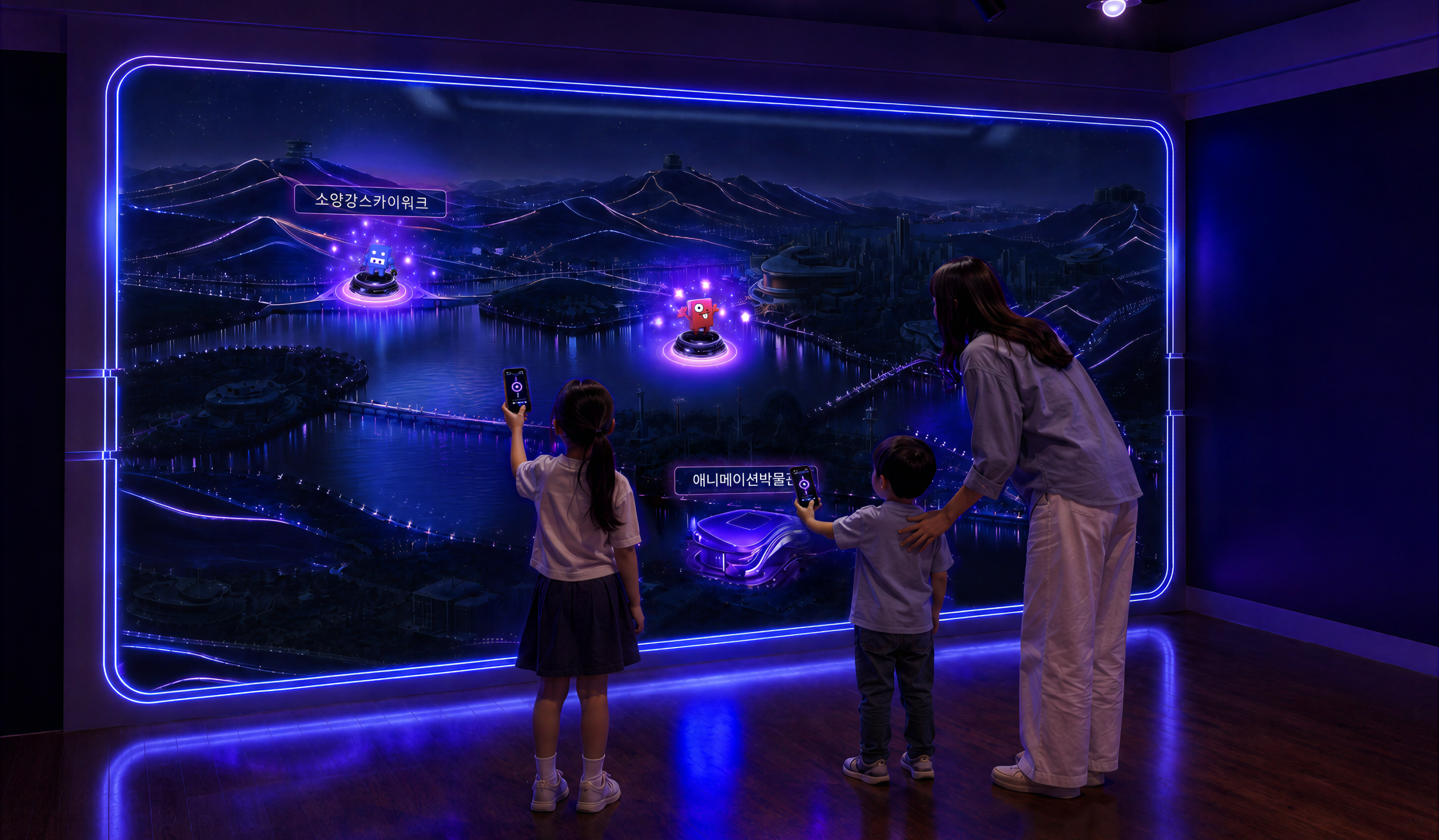
NEO Chuncheon is an interactive content project we planned and produced for a special exhibition at the Chuncheon Toy Robot Museum. The hands-on exhibition uses neon graphics and digital interaction to show the familiar scenery of Chuncheon in a new light. In this space, visitors’ participation becomes the artwork itself.
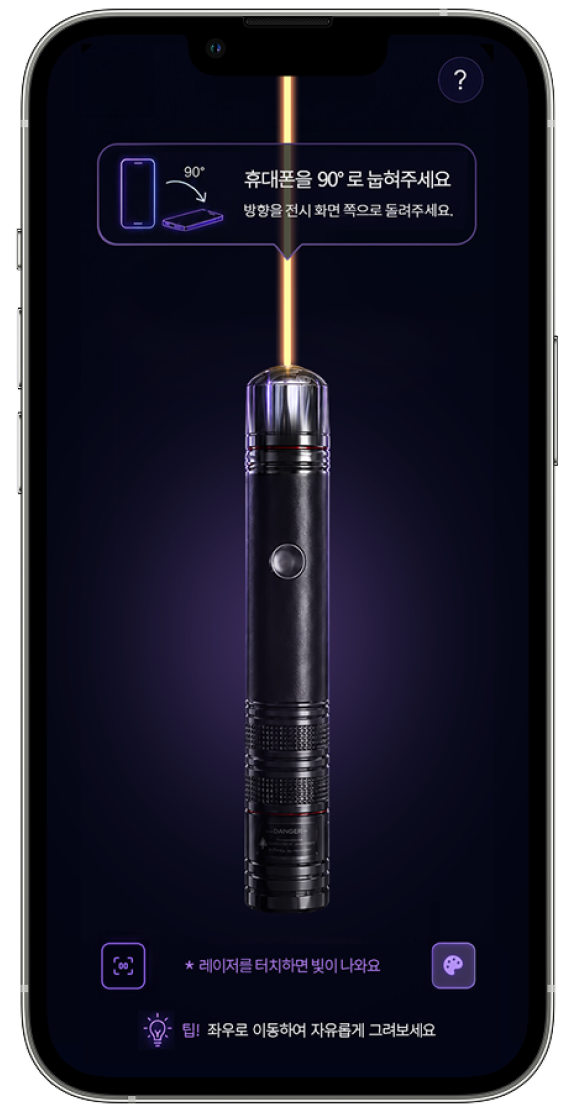
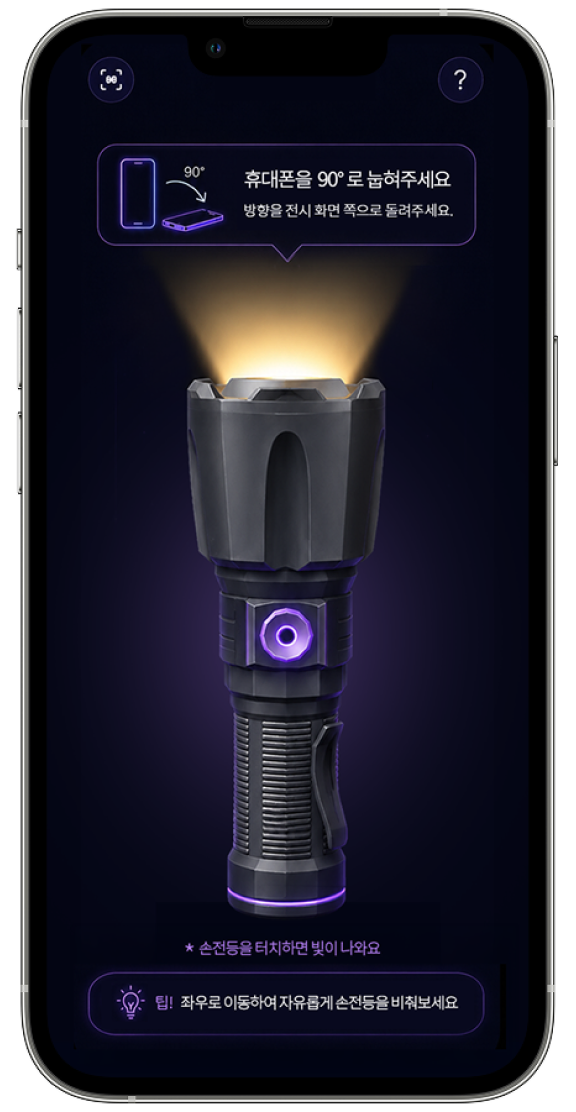
Step through the curtain and you arrive at “NEO Chuncheon Station.” The playful mascots, Aeiem and Roboto, have left graffiti on the walls and gone into hiding. Visitors scan a QR code to turn their phone into a controller. They wave it like a laser pointer to draw on the walls, then shine it like a flashlight to explore a hidden, futuristic Chuncheon and track down the two mascots.
No app is needed. Visitors join through their phone’s web browser, and input from many visitors appears together on a large wall in real time. The installation was also designed to run unattended for the entire exhibition period.

Overview
Two Giant Walls, Controlled by Visitors’ Phones
Open the curtain of the Toy Robot Museum, and a station bound for the future city of “NEO Chuncheon” comes into view.
Two large media walls welcome visitors, with mascots Aeiem and Roboto as their guides.
The moment visitors scan the QR code beside the wall, their phones become controllers that move the city.
Mascots
Meet NEO Chuncheon’s Two Guides: Aeiem and Roboto
The mascots of NEO Chuncheon Station.
They greet and guide visitors throughout the wall experiences.
How It Works
No Installs. Just One QR Scan.
To let anyone join the digital experience with ease, we turned visitors’ phones into instant input devices.
No app downloads, no sign-ups: a single QR scan opens a mobile web controller, and every move shows up on the wall in real time.
- 01 Scan the QR Code
Point your phone camera at the QR code beside the wall.
No app, no sign-up.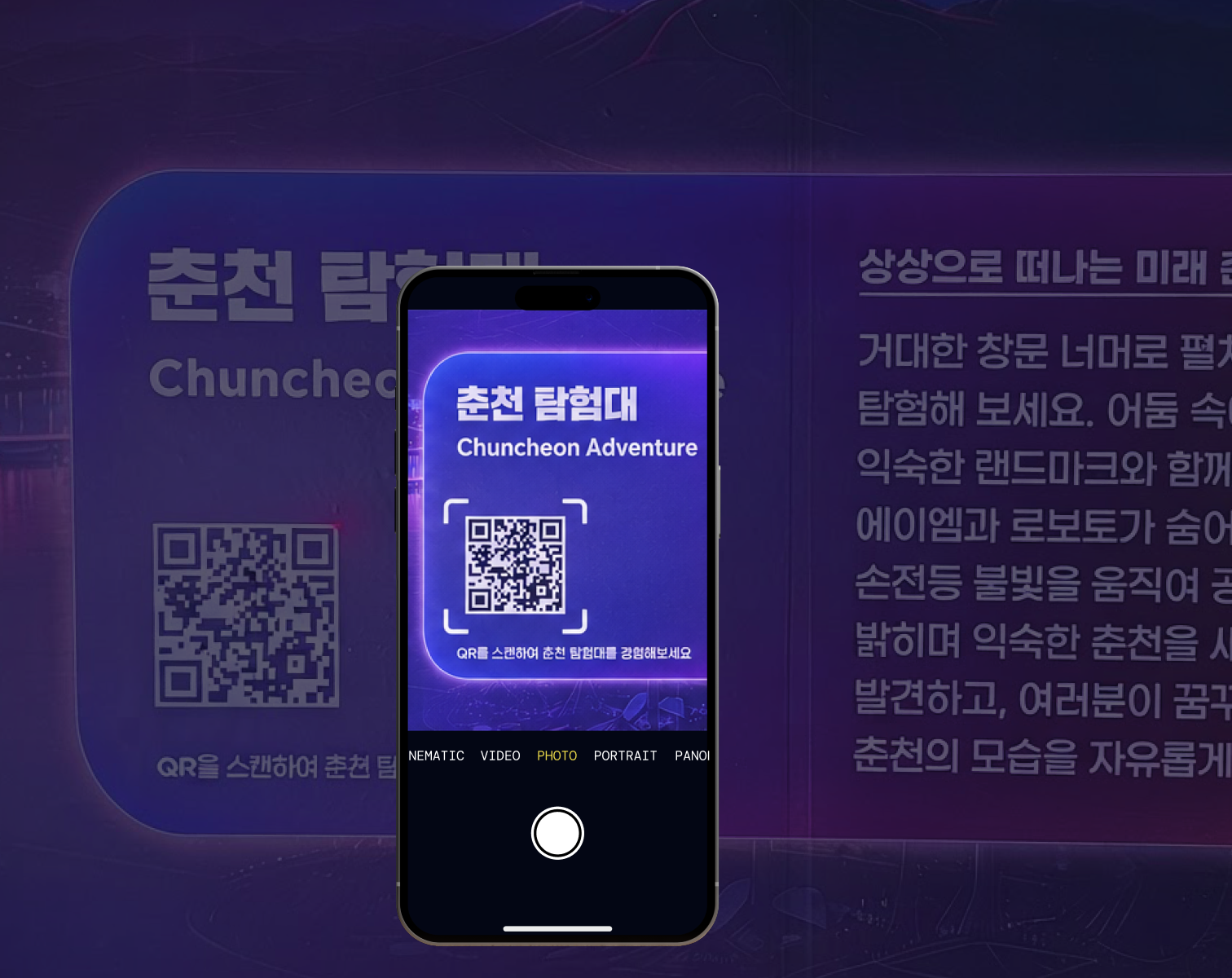

- 02 Mobile Controller
The controller opens right in your browser.
Your phone becomes a laser, and a flashlight.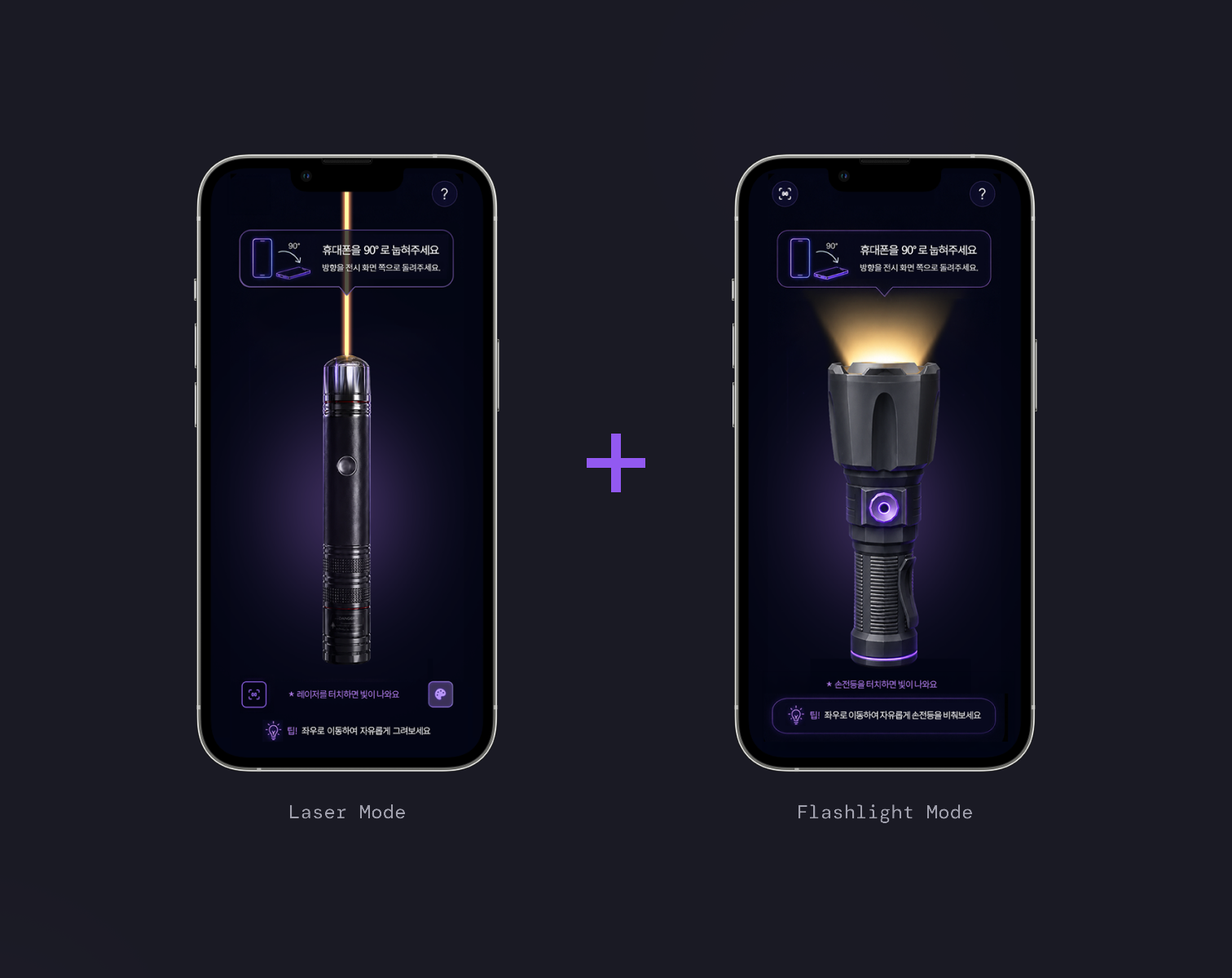

- 03 Live on the Wall
Every move appears on the wall instantly.
Many visitors can play at the same time.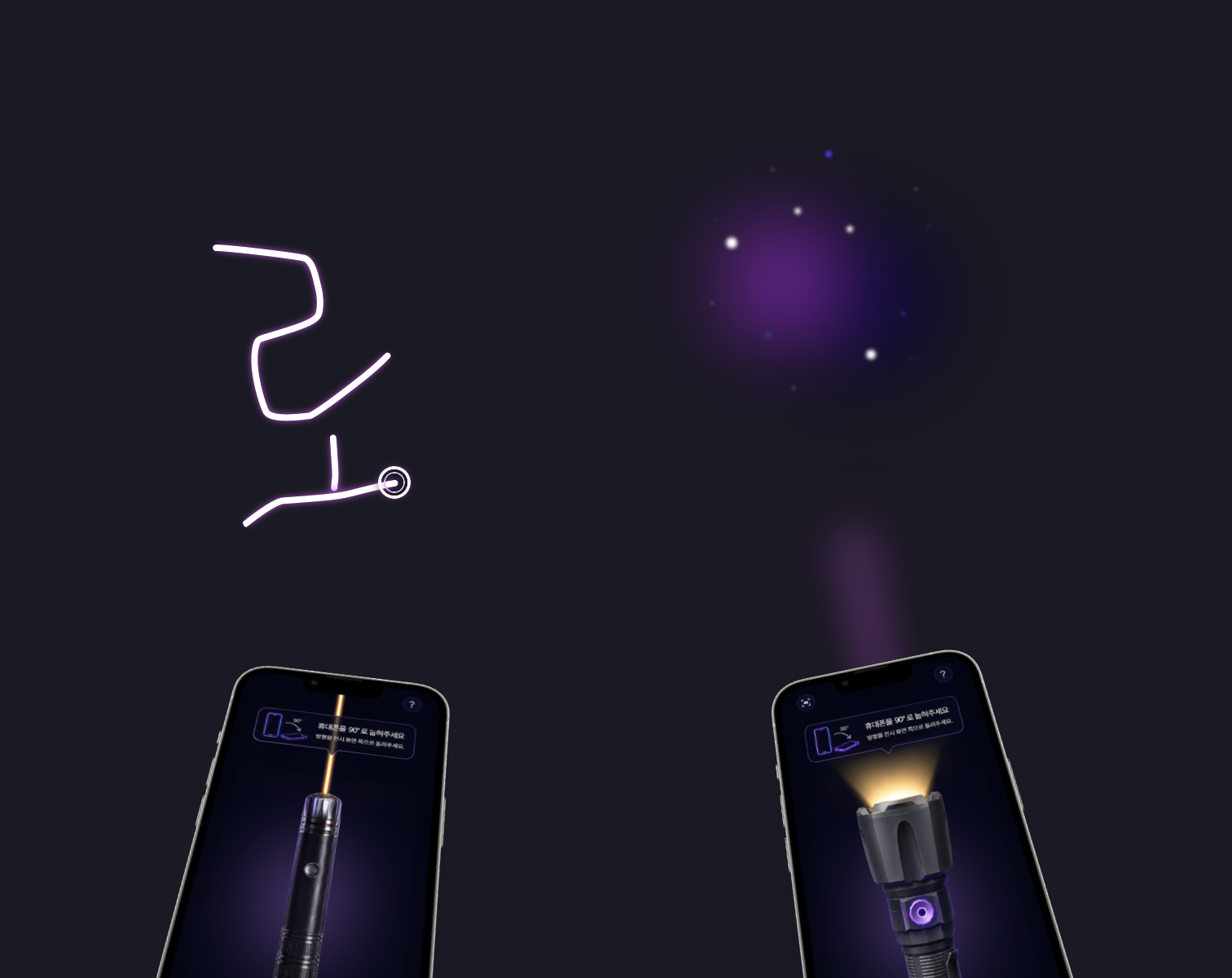


Contents
Two Walls, Two Ways to Play
With the same mobile controller, visitors fire lasers on one wall and light up the darkness on the other.
Wave the hand holding your phone, and neon laser strokes appear across the wall.
Pick from six colors on the controller, and draw alongside others at the same time.
Every visitor’s mark stays on screen and becomes part of the artwork.
The wall is cloaked in darkness. Future Chuncheon is revealed only where your phone’s flashlight shines, and darkness returns once the light moves on.
Finding the hidden elements drifting in the dark and the landmarks of future Chuncheon by light is the game itself.
System
One Real-Time Backbone Connecting N Phones and Two Walls
Visitors’ phones connect to the server with no installation and become input devices. Every input passes through a real-time sync server and appears on both walls at once.